March 5, 2010

Games and Libraries — Wendy Leseman (akla10)

started out play­ing “Just Dance” on the Wii (whoo-hoo!)
Wii is a great place to start
when you’re ready to learn how to use a Wii, send your 12-year old out of the house because they show you too quickly ;-)
you can teach your­self to do this (really, you can)

why gam­ing?
– con­nect with patrons who are gamers; they love it when you show an inter­est in some­thing that’s impor­tant to them; it’s good to know about gam­ing regard­less of what type of library you’re in
– pro­mote mul­ti­ple types of lit­er­acy
– increase traf­fic
– it’s fun

applied for ALA’s Gam­ing, Learn­ing, and Lit­er­acy grant with the Ver­i­zon Foun­da­tion
got $5000, $4000 of which was spent on Wiis & DDR for each library in the school dis­trict
had a few logis­ti­cal prob­lems but money from the Ver­i­zon Foun­da­tion was slow in com­ing, which forced some changes
she also loans her equip­ment out to teach­ers
also explor­ing hav­ing kids cre­ate games using Scratch

$1000 for gam­ing at her school — com­put­ers, con­sole, and board games
kids have become the experts and help each other

they do a fam­ily fun night at least once a year
Wendy sets up DDR and Gui­tar Hero + Band Hero
PS2s aren’t as ver­sa­tile as the Wii but can still be good to get you started, espe­cially with DDR
had trou­ble find­ing games that would run on their old com­put­ers
– used Civ­i­liza­tion, a vet game, Star Wars (which is the most pop­u­lar and is her only T game)

gets shy and non-sports kids involved
it’s fun to watch them social­ize and help each other

now we’re play­ing group Back­seat Draw­ing — awesome!

showed some books with game themes
they also read a lot of guides and cheats — they do a ton of read­ing around gaming

men­tioned “Libraries Got Game” by Brian Mayer and Chris Har­ris and their align­ment of board games with AASL’s stan­dards (much love in the room for this)

Wendy was sup­posed to defend the grant to the school board because they weren’t sure they wanted to accept “gam­ing” money, but they had already accepted it by the time she got there

exam­ples of com­puter strat­egy games — Spore (although her older com­put­ers won’t run it), Civilization

showed ALA’s Online Toolkit for librarians

free online games, which often have a cause-related theme (hunger, jus­tice, etc.)
in her dis­trict, any­thing that has “game” in it is auto­mat­i­cally blocked, so she works with them to let cer­tain ones through

Games for Change
Gene­see Valley’s data­base of games let you search by game time and ROI

Tags: akla10, blogpost, games, gaming, libraries

3:59 pm Comments (1)

The Mind of the Researcher — Daniel Russell (akla10)

Daniel Rus­sell, Google Search Qual­ity & User Hap­pi­ness
2010 Alaska Library Asso­ci­a­tion Con­fer­ence, open­ing keynote speaker

Lewis & Clark left with­out a decent map
it’s a com­pli­cated world out there and you don’t want to end up like the Don­ner Party (hey, go that way; it looks good)
what does the cur­rent infor­ma­tion map look like?
let’s be adven­tur­ers but keep our eyes and minds open

did a demo of Google Earth
cost to put the fly­over together = $0 and four min­utes of time
Google will crawl it within 48 hours
when Lewis & Clark pub­lished about their trip, it took 10 years
we see the world dif­fer­ently, and the library isn’t what it used to be
stacks are no longer a core com­pe­tence — the infor­ma­tion land­scape has rad­i­cally changed

1200 exabytes of new con­tent are gen­er­ated each year (1.2 yot­tabytes if that helps or 1.2 bil­lion terrabytes)
3.6 zetabytes per per­son per year (mostly music and video)
libraries don’t have to curate and man­age that — it stream to you
text words per pseron per year = .1% of that total
the good news is that the amount of read­ing per per­son per year has gone up by 3X since 1980 (pri­mar­ily due to inter­net access); hap­pen­ing online, not print
so need to develop new skills and new literacies

showed Google Books
can click on the places in a book and travel to all of them
can actu­ally reca­pit­u­late Huck Finn’s jour­ney down the river

LoC has 10 ter­abytes of text data or .01 petabytes
he has 2 LoCs at home
an exabyte = 50,000 years of DVD or 10 bil­lion copies of The Econ­o­mist (there aren’t enough trees in Alaska to print them all)

we’re sup­port­ing this renais­sance of access to print cul­ture at the same time we’re expand­ing online con­tent
1.5 mil­lion out of copy­right books that can be printed for $8 each

do you care about all of this as long as you can get to the stuff that you care about?
what Google is try­ing to fig­ure out is how can I read your mind from the cou­ple of words you gave me — which pages you want to see of theirs out of all of those exabytes of data?
it’s not just text anymore

men­tioned Hans Rosling’s TED talk about visu­al­iz­ing sta­tis­tics
men­tioned Baby Names Voy­ager
Google bought soft­ware to add visual sta­tis­tics to Google Docs
the cool part is I can type my name and see when my name peaked
is this a book? no. is it a visu­al­iza­tion? yes. but it’s also inter­ac­tive. where/how do I cat­a­log this?
these kinds of inter­ac­tive doc­u­ments allow you to under­stand in ways that were not pos­si­ble before
showed what hap­pened to names that begin with vow­els dur­ing the 40s and 50s — “the val­ley of the vow­els“
the answer to what hap­pened is in the hard con­so­nants
no one knew this until they could see it in this visu­al­iza­tion
our notion of what con­sti­tutes infor­ma­tion and librar­i­an­ship is changing

how do peo­ple search now?
sup­pose you’re Google and you get the query “jaguar” — what do they want?
one of the dif­fer­ences about being Google though is that you’re at a ref­er­ence desk where a bil­lion peo­ple a day ask the question

what about “iraq?” today, it’s the way; 15 years ago, it was prob­a­bly antiq­ui­ties
Google sees queries shift­ing a lot
“lat­est release Thinkpad dri­vers touch­pad” = I know exactly what they want
“ebay” = in the top 10 most pop­u­lar queries in Eng­lish per day
“google” is also in the top 10 queries per day — why?? are they try­ing to cause the recur­sive melt­down of Google’s servers?
there are 20,000 ways to mis-spell “Bri­tany Spears” (and they all want pic­tures of her)

one of the inter­est­ing things they do is use machine-generated algo­rithms
they don’t have to mis-spell a new celebri­ties name 20,000 times — their users will do that for them
that’s how infor­maiton works now

he goes to peo­ples’ homes a lot to talk to them and watch their behav­ior
showed a video clip of some­one search­ing at home for which celebrity has won the most Oscars
(she was pretty con­fused with the results she was get­ting — didn’t real­ize she had moved into the “Google News” sec­tion)
she has a grad­u­ate degree, runs her own web­site, and has her own tv show
the equiv­a­lent of watch­ing some­one look­ing at a text­book in the library and won­der­ing why she’s sud­denly look­ing at the news
this is why he has a job ;-)
he sees prob­lems in the world and tries to fix them

weekly sta­tis­tics:
3.9 vis­its per user
9.4 searches per user
11.2 search clicks per user
4 min­utes dura­tion
29% query refine­ment rate
they’re not spend­ing a lot of time in “the stacks”

66% of their users have less than one query per day
aver­age query length is less than 3 words
the “very con­fi­dent” peo­ple in a Pew study search mul­ti­ple times per day (34%)
suc­cess makes them search more often
92% feel con­fi­dent in their search­ing abil­ity
you don’t get good doing any­thing less than once per day (for four min­utes, no less)
55% call them­selves an “expert searcher” (despite how lit­tle I use the system)

they’re happy when they get a result from a search
peo­ple think of exper­tise as being socially-normed
“all of my friends say I’m the best searcher” — you want to say you’re good
peo­ple like to take on tasks they can suc­ceed at
showed an exam­ple where the dif­fer­ence in the ques­tion was “ghost town” vs “aban­doned city“
the “ghost town” peo­ple didn’t do well search­ing and were unhappy — took them a lot longer to find the infor­ma­tion
librar­i­ans are syn­onym pro­fes­sion­als
“func­tional fixed-ness” — being stuck on a search term, not being able to think of a synonym

Google is try­ing to con­vert peo­ple from the “ghost town” group to the “aban­doned city” group
they can see improve­ment over time

but the infor­ma­tion land­scape is so complex

Google launches about 10 prod­ucts per week, although more are invis­i­ble (tweaks to the algo­rithm, etc.)
but so far this year (and it’s only March 5), they’ve launched:
a really long list of things
these are all things that hap­pened to our infor­ma­tion land­scape in the last two months
new kinds of con­tent are com­ing online all the time
3D mod­els in SketchUp
“what’s a fly­ing but­tress? let me show” vs a 2D pic­ture in a Time-Life book

new kinds of query­ing infor­ma­tion
eg, Google Gog­gle — “Google, what’s that?“
“your cell­phone — it’s not just for typ­ing any­more“
“wait — when did cell­phones become stan­dard for typ­ing?“
tak­ing a pic­ture of a book gives you the meta­data about it (same for a bot­tle of wine, etc.)
you don’t have to type as much any­more
the way you inter­act with Google is changing

with Google Earth, if you fly to the Prado in Madrid, you can fly into the build­ing and even into one of the pic­tures; they’ll throw you out of the build­ing if you try that in Spain
get a level of detail you can’t see if you go there

Google Flu Trends
can tell when flu out­breaks are hap­pen­ing around the world by watch­ing for where queries are being made from
showed chart that illus­trates Alaska got it worse than other places and the out­break peaked in Octo­ber
any­one can run queries in Google Trends

how do you find Google Trans­la­tion Ser­vices? it’s not a book on a shelf
“when in doubt, search it out“
they’re work­ing rad­i­cally fast to change our world

Quan­tam ESP exper­i­ment
showed the old “psy­chic rab­bit” trick with play­ing cards
the point is that every­thing changes
you can’t pay atten­tion to every­thing
you’re smart — why didn’t you remem­ber all of the cards? because he told you to focus on one
there’s lots of stuff going on with your per­cep­tion and what you’re pay­ing atten­tion to

what have you noticed? what have you not noticed?
no one notices things like the lit­tle arrow that expands the map or lets you pan around the map and the “more” link
nobody sees these things — he has the logs to prove it
they’re focus­ing on what they’re try­ing to do
“per­cep­tual or change blind­ness“
showed the dif­fer­ence between a Google Map from 5 years ago ver­sus today
nobody noticed the results moved from the right side to the left
they change things all the time and nobody notices

how do we learn? how do we help our patrons learn?
it’s not like they’re ship­ping a new ver­sion of an OS — they’re chang­ing every­thing all the time, every day
and it’s not all nicely curated or indexed
that’s the growth rate we have to be think­ing about

how do we help our patrons“
of the 4 Rs, the fourth one is really “research“
in order to write com­pre­hen­sively and deeply, you need to do deep research
it’s not just look­ing up a call num­ber — that’s just the begin­ning
this is no longer optional — now the whole cul­ture has to under­stand this, not just librarians

analy­sis from 40 inter­views:
every­body knows what a query is, what a result is
but no one knows what “search on page” and “search in results” mean
it’s not helped by click­bombs like the “mis­er­able fail­ure” search results
if you’re not on the inside with a mech­a­nism to under­stand how this stuff works, you think Google is mon­key­ing with the sys­tem, even though they aren’t; some­one else is
most peo­ple don’t under­stand “clas­sic search engine opti­miza­tion“
makes it impos­si­ble to have a coher­ent men­tal model for how the web works

with­out a detailed model, we’re “cargo cultists” (New Guinea)
when some­one tells you to reboot the router to get wire­less back, you’re a cargo cultist
“never click up there”

I dunno how it works. I just type words, and answers come back to me… about any­thing… any­thing at all…” — stu­dent
within his realm, he was a good searcher
devel­oped vocab­u­lary and domain knowl­edge around expen­sive watches but can’t find the cap­i­tal of Alaska

when you’re in West­Law, you have to know how to make the oper­a­tors work
in Google, you have to know how to come up with good search terms

6 kinds of knowl­edge & skills needed to search:
– pure engine tech­nique (choos­ing good terms, dou­ble quotes, etc.)
– infor­ma­tion map­ping (reverse dic­tio­nary, con­tents of domains, Wikipedia, etc.)
– domain knowl­edge (med­ical knowl­edge, plumb­ing knowl­edge, etc.)
– search strat­egy (know­ing when to shift strate­gies, move from wide to nar­row, pre­serv­ing state, etc.)
– assess­ment (how do you assess the cred­i­bil­ity of a resource? a lot of this is tied up in domain knowl­edge, which 16-year olds don’t have)
– site-specific knowl­edge (know­ing how a site works, is laid out, etc.)

basic skills:
– Control-F to find
– tabs (how to use effec­tively to orga­nize search)
– key­word query choice (effec­tive choices; low/high fre­quen­cies terms)
– tac­tics (when to focus on par­tic­u­lar resource)
– strate­gies (how long to pur­sue a tac­tic; when to switch; how to dis­cover)
– under­stand­ing what you find (read­ing for under­stand­ing SERPs; not “overreading”)

teach­ing research skills
– want peo­ple to under­stand the world and do research so they under­stand the world
– not just web search skills
– author­ity assess­ment
– crap detec­tion
– stay­ing on task
– dis­cov­ery
– note­tak­ing
– data inte­gra­tion
– rep­re­sen­ta­tion construction

find­ings:
1 — very uneven indi­vid­ual level of search skill (every­one showed at least one “deep” skill; every­one showed at least one mis­taken under­stand­ing; 90% wished they knew how to search bet­ter, but only 10% will take a class)
search behav­ior pat­terns
users don’t know the names of parts or rec­og­nize them (includ­ing URL, site, query; it’s hard to search for things you can’t name; don’t want to click on that because it might bring up porn)

2 — com­fort level is VERY impor­tant
users choose famil­iar over scary
peo­ple tend not to explore things they dn’t know
they worry about find­ing porn
they worry about hav­ing unkonwn things hap­pen when they click on strange links
– edu­ca­tion is acci­den­tal
– peo­ple are not good reporters of their own behav­ior (“I don’t have a tool­bar; I don’t do image search”)

3 — peo­ple don’t know much about Google as a whole (an oppor­tu­nity for librar­i­ans)
they don’t know what’s pos­si­ble
a CTO who didn’t know how to find Google Maps to find a pub in Palo Alto
a PhD cog­ni­tive psy­chol­o­gist didn’t know about Google Scholar
– tar­get site knowl­edge is critical

where do we go next?
– there is a big, big, big need for help — it’s not all intu­itive; they can’t yet do mind-reading
– huge range of men­tal mod­els among users
– users, for the most part, have lit­tle idea what’s pos­si­ble in web search or how to use it effec­tively
they’re learn­ing acci­den­tally from peers or from librar­i­ans
we’re look­ing at an information-illiterate pop­u­la­tion
no one else is show­ing them

- show them the shape of the infor­ma­tion land­scape
– teach your patrons
– make time to con­tin­u­ally edu­cate your­self (you’re now enrolled in a per­ma­nent edu­ca­tion process; if you miss it for a cou­ple of years, good luck catch­ing up)

every­thing is shift­ing and mov­ing faster, so make time for con­tin­ual self-improvement
“be the Lewis, be the Clark” — com­mu­ni­cate this stuff to our patrons
be the core of dis­cov­ery for patrons

Tags: akla10, blogpost, google, information, libraries

1:23 pm Comments (0)

February 24, 2010

Library 2.0: Not Just for Users

The con­cept of “Library 2.0″ has been around long enough now that we’ve gone through all the stages and argued it to death, as noticed by Andy Wood­worth in a post titled Decon­struct­ing Library 2.0. That’s a good thing, and you should go read his thoughts on the subject.

No mat­ter which side you of the debate you come down on, you can prob­a­bly prove your case. Me? I agree with Andrew Burkhardt when he notes, “The time has come for libraries to be social on the web. Social is the new nor­mal. It has become main­stream and peo­ple expect it. Library 2.0 is not dead, it has just become bor­ing and com­mon­place. And to quote Clay Shirky, ‘Tools don’t get socially inter­est­ing until they get tech­no­log­i­cally boring.’ ”

In his paper Par­tic­i­pa­tory Net­works: The Library As Con­ver­sa­tion, Dave Lankes said that “libraries should focus on the phe­nom­ena made pos­si­ble by the tech­nol­ogy,” not the tech­nol­ogy itself, which I think is a pretty good way of think­ing about “Library 2.0.” Maybe that’s where we are now, which would be a great way to con­tinue the dis­cus­sion, hope­fully with­out the moniker. I think sev­eral of us thought that’s what we were doing, but it didn’t come across that way.

The hard part, though, is that Library 2.0 doesn’t really replace any­thing. Like so many library ser­vices, the oppor­tu­ni­ties these new tools afford us are in addi­tion to every­thing we’re already doing, which causes prob­lems, because we don’t get addi­tional resources to imple­ment them. To serve as many of your users as pos­si­ble, you have to be in as many of the places where they are as pos­si­ble. That prin­ci­ple has been the phi­los­o­phy behind this site from day one, eight years ago. That means being out in your com­mu­nity phys­i­cally and dig­i­tally, and that’s one of the pieces of L2 that I think was never ade­quately explained.

We’re already pretty good at get­ting out from behind the phys­i­cal ref­er­ence desk. We know how to do it, and we know how we could do it bet­ter given more resources. I worry that this is less true in the online world, and that’s where I always hoped L2 would help. As much as I sup­port, love, and advo­cate for user-centered plan­ning and design, my big regret about the whole “move­ment” is that it hasn’t focused more on how L2 helps staff.

So that’s what I tend to con­cen­trate my own pre­sen­ta­tions on — the prac­ti­cal ways in which these new tools can help you. I’ve been a big pro­moter of RSS since 2002, and I still don’t under­stand why libraries don’t use it more. Yes, one of the ben­e­fits of syn­di­cat­ing con­tent is that your users can sub­scribe to it, but equally impor­tant for me is that it allows me as an orga­ni­za­tion to get my con­tent off my web­site so that it’s more vis­i­ble where my users are. Most impor­tantly, it auto­mates that process so that I don’t have to spend pre­cious resources man­u­ally updat­ing a mul­ti­tude of sites, inevitably for­get­ting about one of them. The fact that I can syn­di­cate lists of new mate­ri­als from my OPAC any­where with­out human inter­ven­tion? Priceless.

Why should your library have a blog? There are many ben­e­fits, but my biggest rea­son is because it gets your cur­rent news and announce­ments in a syn­di­cated for­mat, the dis­play of which you can auto­mate any­where. You can eas­ily recy­cle your con­tent to Twit­ter, Face­book, else­where on your web­site, and more. Talk about a great way to get out into your com­mu­nity — how about dis­play­ing your cur­rent news on the vil­lage, park dis­trict, school, or a depart­ment web­site with­out any ongo­ing effort on your part? That’s a huge win-win in my book. And as some­one who man­u­ally gen­er­ated archives for daily posts before there were “blogs,” let me just sing the praises of auto­matic archiv­ing for a moment. If you’re not using a blog for press release-like infor­ma­tion, do not pass go. There’s a bet­ter way that makes you more effi­cient and has all of these ancil­lary ben­e­fits with cher­ries on top.

Being able to offer inex­pen­sive options for chat ref­er­ence so that you can con­cen­trate on imple­men­ta­tion rather than bud­get? Win. Being able to embed that chat win­dow on your web­site, in data­bases, on Face­book, etc., with­out a huge effort? Win times one mil­lion. Putting imme­di­ate, syn­chro­nous access to a librar­ian back into the cat­a­log by embed­ding a chat win­dow there? Win times infinity.

Hav­ing easy-to-use alter­nate announce­ment chan­nels where you can also talk with and hear from your users (eg, Twit­ter)? Full of win. Same thing with social book­mark­ing (deli­cious — all of your library’s book­marks in one place, search­able, embed­d­a­ble), social pic­tures (Flickr, where you no longer have to worry about resiz­ing images), wikis (cheap intranet pos­si­bil­i­ties), embed­d­a­ble sub­ject guides with syn­di­ca­tion (LibGuides), and more. They all have the poten­tial to make your job eas­ier. How often does that happen?

So, Andy is right to ask ques­tions about Library 2.0 and reflect about its impact, as are the com­menters on his post. For me, though, one place L2 has failed is in mak­ing staff under­stand that these tools can offer big ben­e­fits for them, not just library users. If we’re adopt­ing tools to make our­selves more effi­cient (which I think is the best way to eval­u­ate imple­men­ta­tion for staff), then that counts as suc­cess in my view. If it reaches new users, offers new ser­vices for exist­ing mem­bers, or makes things bet­ter in gen­eral for users at the same time, then we’re really doing some­thing right. That piece is more dif­fi­cult to mea­sure, which makes the L2 debate some­what moot, since no one can really prove or dis­prove it. But when done well, Library 2.0 should help you in your job, too.

I hope we see more arti­cles and pre­sen­ta­tions about that, instead of rehash­ing point­less and divi­sive debates about names, gen­er­a­tions, and “sides.”

Tags: blogpost, library 2.0

January 26, 2010

You Don’t Know Me

Or, if you work at cer­tain com­pa­nies, you do. Or could.

I had some inter­est­ing con­ver­sa­tions about pri­vacy at ALA’s Mid­win­ter Meet­ing, which got me think­ing about which com­pa­nies prob­a­bly know the most about me.

I’ve thought about my own “walled gar­den” a lot and worked through what I’ll share pub­licly, pri­vately, and pre­tend pri­vately. Most things I share pub­licly, and you can see a list of many of the sites I use on my Friend­Feed account. It’s not dif­fi­cult to piece together infor­ma­tion about me by track­ing these sites, but over­all I’m more care­ful with spe­cific things like loca­tion information.

The rou­tine I’ve worked out is that Face­book is my only truly pri­vate post­ing area, although I do occa­sion­ally post some pic­tures for “friends and fam­ily only” on Flickr. Since I still don’t trust Face­book to not re-publish or claim own­er­ship of “pri­vate” con­tent (like pic­tures and videos), I don’t post any­thing orig­i­nal there except sta­tus updates and com­ments on friends’ updates. Even then, I don’t kid myself that those things are truly pri­vate (they’re the “pre­tend pri­vately” I men­tioned above). That’s why I’ve become a lot more selec­tive about who I’ll friend there, and why I post some Foursquare loca­tion updates there (rather than on Twitter).

So if you can find out so much infor­ma­tion about me pub­licly, which com­pa­nies know the most about me? It’s been a very thought-provoking exer­cise to come up with the fol­low­ing list. I tried to rank the com­pa­nies in order of how much daily infor­ma­tion I think they’re accu­mu­lat­ing about me, but it’s tough to decide if “what I’m eat­ing” equals “what I’m watching.”

  • Cell carrier/cellphone maker — they know my loca­tion at any given time, plus all of the data that goes through my phone (and I don’t have a land­line, so every­thing goes through my cell)
  • Cable com­pany = they know what I watch on TV and what I surf on the net
  • Bank = they know most of the places where I spend my money
  • Credit cards = they know a lot of places I spend my money
  • LISHost — hosts my web­site and email, which would include a lot of receipts for online purchases
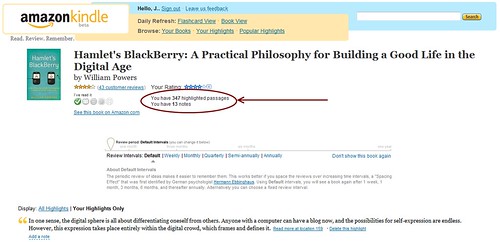
  • Google = knows most of the things I search for and many things I read (via <http://reader.google.com/”>Google Reader); even though I don’t use Gmail, any email I send to Gmail users is in their archives
  • Ama­zon = knows about a lot of things I pur­chase and read (includ­ing via my Kindle)
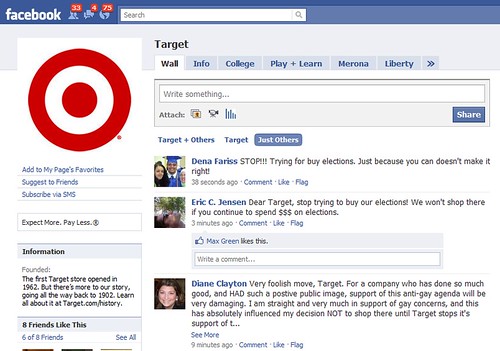
  • Face­book = knows a lot about what I say about myself via sta­tus updates and who my friends are
  • Friend­Feed (now owned by Face­book) = aggre­gates a lot about what I say about myself pub­licly online, plus which con­ver­sa­tions and peo­ple I watch on the site
  • Net­flix = knows a lot about what I watch
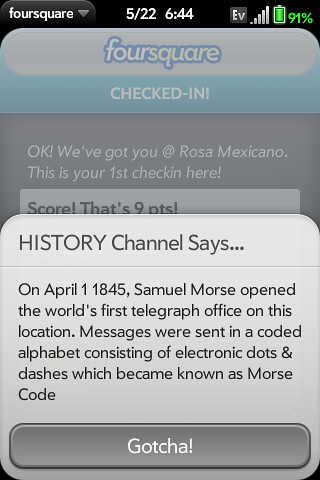
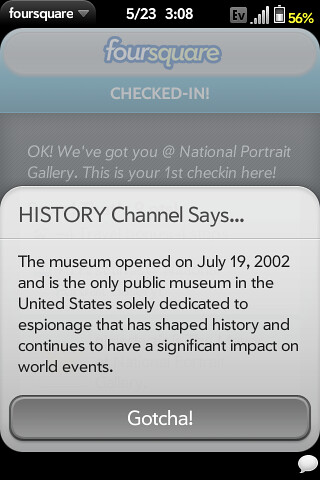
  • Foursquare = knows some about where I am/go
  • Flickr = knows a lot about where I am/go, who my friends/contacts are, and what inter­ests me
  • Twit­ter = knows my net­work and who I inter­act with the most
  • Health care provider = I’m lucky that I’ve been rel­a­tively healthy, but my provider(s) know about any problems
  • Deli­cious = knows a lot about sites I’ve vis­ited and want to remember
  • Dopplr = knows my trips and some of my friends
  • Ever­note = knows about some things I want to remem­ber, although I haven’t put much per­sonal infor­ma­tion there yet
  • Illi­nois Depart­ment of Trans­porta­tion (IDOT) = I don’t drive nearly as much as I used to any­more, but IDOT knows when I go on tollroads

Obvi­ously I’m okay with what I share pub­licly, and in many respects, there have been enor­mous ben­e­fits to doing that, but I have very lit­tle con­trol over what these com­pa­nies do with the infor­ma­tion they’re col­lect­ing about me, and I don’t trust any of them. I think the only com­pany I do trust is LISHost, which hosts my web­site and email (thanks, Blake!). How much do I really care that Face­book keeps my sta­tus updates for­ever, whereas my email provider keeps my more pri­vate mes­sages? And how much do I worry that my pri­vate email still goes through my cable provider’s net­work to get to LISHost?

I’m try­ing to rec­og­nize which com­pa­nies are col­lect­ing ambi­ent infor­ma­tion about me, with­out me proac­tively post­ing any­thing. I’m sure I’m miss­ing some, though. If you’ve thought through this your­self, what’s not on my list?

Tags: blogpost, privacy

6:44 am Comments (8)

January 11, 2010

One Approach to Org Twitter Accounts

I’ve been mulling over this post for sev­eral weeks now, but a con­ver­sa­tion that hap­pened on Twit­ter today prompted me to finally write and pub­lish it. It started when Ken­ley Neufeld wrote a post about par­tic­i­pat­ing in ALA and tweeted the link. Cyndi E. engaged Ken­ley in a con­ver­sa­tion about ALA fol­low­ing its mem­bers back on Twit­ter, which led Ken­ley to ask ALA’s Mid­win­ter Meet­ing account what its fol­low pol­icy is.

what's your follow policy?

Well, I work for ALA, and I run that account (along with three oth­ers), plus my per­sonal one. The “royal” ALA has no offi­cial social media pol­icy, although there is an inter­nal staff task force work­ing on one. I’m not on that group and I haven’t wanted to step on any toes, which is why I haven’t said much online about this topic, but that doesn’t mean I haven’t thought through some things for the accounts I man­age. Given today’s con­ver­sa­tion, I thought I’d share my approach and solicit feed­back for what you think is and isn’t working.

Before I go any fur­ther, though, I want to note that I kind of fly by the seat of my pants with this stuff at work. I already have a cou­ple of full time roles (as does pretty much every­one at ALA HQ), and track­ing what’s said about MPOW online is pretty near impos­si­ble these days. Amongst the good and bad about the Amer­i­can Library Asso­ci­a­tion, the term “ALA” also gets used for A List Apart (espe­cially when they pub­lish a new issue), the abbre­vi­a­tion for “Alabama” in news reports, Ala Moana in Hon­olulu, ala mode, “ala” mean­ing “in the style of,” in Span­ish, and more. I do the best I can, but no one per­son could catch it all unless it was their only job respon­si­bil­ity. I know a lot of folks strug­gle to get sup­port from the top in their orga­ni­za­tion, and I’m lucky that this isn’t one of the bat­tles I have to fight.

All of which is my way of say­ing, your mileage may vary, even within ALA. These are just my thoughts for how I’m han­dling four Twit­ter accounts at work, and I’d love to hear how you think I could do this bet­ter. Maybe this list willl even give you some pro­ce­dural ideas for your own institution’s efforts.

I mainly mon­i­tor and man­age Twit­ter and Friend­Feed accounts, so that’s where I focus my efforts. I’m lucky that oth­ers have taken on the man­tle of man­ag­ing ALA’s Face­book, LinkedIn, Sec­ond Life, and YouTube pres­ences. These are the guide­lines I’ve been fol­low­ing for Twit­ter (I still need to imple­ment most of these on FriendFeed).

  1. My goals for the accounts are to lis­ten, answer ques­tions, inter­act, and inform.
  2. I fol­low most pub­lic accounts that fol­low us, as long as its not a spam­mer, bot, or “social media expert” who has thou­sands of fol­low­ers. I don’t have any­thing against the gurus, but they’re not the audi­ence I want to inter­act with. It may take me a week to log in and fol­low all the new folks, but that’s my goal. I’m some­what pas­sive about this because of the lack of an easy way to han­dle fol­low­ers from one source, although right now I’m actively try­ing to fol­low any human being who say they’re attend­ing our Mid­win­ter Meet­ing this week. I do this to make it eas­ier to lis­ten and respond, plus it gives these folks the abil­ity to direct mes­sage us.
  3. The excep­tion to rule #2 is that I don’t fol­low pri­vate accounts. I real­ize some folks make their accounts pri­vate to avoid spam­mers, but I can’t tell those from the folks who truly want their tweets to be pri­vate. As an orga­ni­za­tional account that mul­ti­ple staff mem­bers might have access to, I don’t want to expose those tweets or set up a sit­u­a­tion where some­one might acci­den­tally retweet some­thing private.
  4. I try to do more than just click a book­marklet, so I’ll rephrase con­tent to get it down to 130 char­ac­ters or some­how add value to the head­line of a press release. I try to be human and avoid mar­ket­ing speak, and I don’t get hung up on cap­i­tal­iza­tion, even though my under­grad­u­ate degree is in journalism.
  5. I do my best to shoot for 130 char­ac­ters to pro­vide for easy retweetability.
  6. Although this doesn’t apply to all orga­ni­za­tions, I’m a big believer in the “right of first tweet.” Within ALA, there’s no one “mas­ter” Twit­ter account for the Asso­ci­a­tion as a whole. Instead, every office, divi­sion, round table, etc., has its own account. In order to help build the audi­ence for those accounts and give credit, I try to not announce news first that really belongs to other ALA units. Instead, I do my best to retweet their tweets. That doesn’t always hap­pen, but I think it’s their right to have the first shot at it.
  7. Some­thing new I’ve been try­ing lately is to avoid retweet­ing some­one else’s con­tent imme­di­ately after they tweet it, espe­cially if they’ve used a hash­tag. Instead, I use Hoot­Suite to sched­ule the tweet at a dif­fer­ent time of day in order to try to reach a dif­fer­ent audi­ence that may not have seen the orig­i­nal one. If it was a morn­ing tweet, I’ll sched­ule the retweet for the after­noon, and vice versa.
  8. I’m cur­rently using bit.ly to shorten URLs so that I can get sta­tis­tics for how often links are being fol­lowed. I also try to use cus­tom bit.ly URLs for links I know I’ll re-use a lot. I fer­vently wish Hoot­Suite would get rid of the frames on its ow.ly ser­vice or at least give URL cre­ators the option to turn them off. Until then, I’ll keep using bit.ly.
  9. I delib­er­ately retweet from indi­vid­u­als, not just other ALA units or orga­ni­za­tions. My take on it is that we’re all in this together, and we’re all part of the con­ver­sa­tion. Of course, that doesn’t mean I’ll be retweet­ing every­thing posted to the #nopants tag. ;-)
  10. Rather than count­ing the num­ber of fol­low­ers as a met­ric, I’ve started track­ing con­ver­sa­tions. I still haven’t found what I con­sider to be an opti­mal way to do this, but for the moment, I’m clip­ping tweets to a note­book in my Ever­note account (I’m on the free ser­vice for now) so that I can find them again. Because it’s so dif­fi­cult to track the term “ALA,” I haven’t found an easy way to report out what’s being said about us, other than by man­u­ally writ­ing up an email.
  11. Per­son­ally, I have an unlim­ited text mes­sag­ing plan (I <3 texting), so I use notify.me to have Twit­ter men­tions sent to my phone via SMS so that I get imme­di­ate alerts when some­one men­tions or directs a tweet to one of the ALA accounts. If you don’t want to go the SMS route, you can have the noti­fi­ca­tions sent to an email address, instant mes­sag­ing account, or to a desk­top app/widget. And this setup doesn’t nec­es­sar­ily mean I respond right away, espe­cially if I’m out with friends, watch­ing a movie, or if it’s late at night. I’ve worked hard to bal­ance my work and per­sonal lives, and so far it’s work­ing fairly well. But the notice gives me a heads up, and I can then assess the urgency.

Those are the var­i­ous Twit­ter issues I’ve thought through so far. Based on some other prob­lems that have come up at work, I have some gen­eral advice for other orga­ni­za­tions using social sites.

  • Did you know that the per­son who cre­ates a Face­book page can never be removed? Never, ever, ever, ever plus a day. The only way is to delete the person’s account, which an orga­ni­za­tion can’t do if it’s a per­sonal account. So be care­ful about who cre­ates your organization’s page(s), because you’ll never be able to remove that per­son as an admin. You can add other admins, but you can’t remove the orig­i­nal cre­ator. Add my voice to the cho­rus of frus­trated users who wish Face­book would change this pol­icy yesterday.
  • Be very care­ful when you’re set­ting up your bit.ly links. If you acci­den­tally paste in the wrong URL (which I’ve done), you can’t go back and change it. Ever, as in ever plus a day. If you mess up a cus­tom URL, you’ll never be able to get it back. Ever. Did I men­tion ever?
  • And speak­ing of bit.ly, if you haven’t already done this, you might want to go grab the most obvi­ous cus­tom bit.ly URLs for your orga­ni­za­tion so that some­one else doesn’t use/steal/hijack them. Espe­cially if you want a short and easy way to point to your own site on Twit­ter and get sta­tis­tics for num­ber of clicks. You can decide if you want to do this on other URL short­en­ing ser­vices, too.

So those are some quick thoughts that have been swim­ming around in my head. I’d love to hear your thoughts about how I can do this bet­ter, and what you’d like to see from the ALA accounts I run.

Tags: ala, blogpost, facebook, mpow, social media, social networking, twitter

December 8, 2009

Libraries Greening Communities?

Last week­end we had an energy audit done on our house, a fas­ci­nat­ing exer­cise to watch. Besides the fact that I was inter­ested to see what our issues are, I was cap­ti­vated by the equip­ment used. Being a geek, it was extra fun for me. :)

infrared camera
infrared cam­era

As the gen­tle­man who per­formed the audit (Jim) worked, we had a lovely talk about a vari­ety of things, includ­ing libraries. We talked about ebooks (he has a Kin­dle) and libraries (he thinks we’ll be cut out of the pic­ture) and library ser­vices in gen­eral. Jim men­tioned how he tries to work with orga­ni­za­tions to improve energy effi­ciency, includ­ing libraries. Appar­ently he’s worked with Wis­con­sin libraries to give each one a wattmeter to cir­cu­late to res­i­dents who want to mon­i­tor their elec­tric­ity (see this exam­ple).

Jim is eager to work with Illi­nois libraries to see what we could do to help patrons who want to do more to make their homes more energy effi­cient. Chicagoland libraries already cir­cu­late museum passes, some libraries still cir­cu­late art, and there are toy libraries, so why not this ser­vice? Sev­eral libraries are offer­ing new gad­gets for cir­cu­la­tion (GPS devices, Flip video cam­eras, ebook read­ers), so lend­ing tech­nol­ogy isn’t new, either. There’s a lot of talk right now about green libraries, but can libraries green go that next step and help green their communities?

I love the idea, espe­cially when com­bined with com­ple­men­tary pro­grams, read­ing lists, and com­mu­nity con­nec­tions. Are any libraries out­side of Wis­con­sin offer­ing this type of ser­vice? If you’re in Wis­con­sin, have patrons been using your wattmeter?

Tags: blogpost, energy audit, energy efficiency, green communities, green libraries

August 26, 2009

Mississippi Valley Library District Selling Magnetic Library Ribbons for Cars, etc.

I don’t see this any­where on the web (either on the ILA site or the MVLD one), so I’m post­ing this to help pub­li­cize the effort. It appeared in the most recent of the Illi­nois Library Association’s e-News.

The mag­netic library rib­bons mea­sure 8″ and say, “Sup­port Illi­nois Libraries.” They sell for $1 each for amounts of 100 or more. $1.25 each for smaller amounts. Ship­ping will be extra or you can pick them up at the Mis­sis­sippi Val­ley Library Dis­trict (408 West Main, Collinsville, IL 62234; phone: 618.344.1112 ex. 113; fax: 618.345.6401).

Please con­tact Bar­bara Rhodes (bar­barar at mvlibdist.org) and send her your name, library (if applic­a­ble), address, and phone num­ber. Indi­cate if you would like the rib­bons shipped or if you will pick them up.

The Mis­sis­sippi Val­ley Library Dis­trict will be sell­ing these rib­bons to the pub­lic for $2.00 each as a fundraiser.”

I’ll admit that when these mag­netic rib­bons first started appear­ing every­where, I wasn’t a fan. But a few years ago, MFPOW started offer­ing ones the ones that Mis­sis­sippi Val­ley is using, so I put one on my car. It’s still there today, and I con­fess that every time I look at it, it gives me a twinge of pride. YMMV (no pun intended).

Support Illinois Libraries

Tags: blogpost, fundraiser, support illinois libraries

4:35 pm Comments (0)